
How do I add a promo code to my Straight Talk, Total Wireless, Pageplus Cellular order?
To add a promo code to your order:
- Add the item you wish to purchase to your cart.
- Then once in at your cart select "Checkout"
- If you are on a mobile device you will then reach this screen:
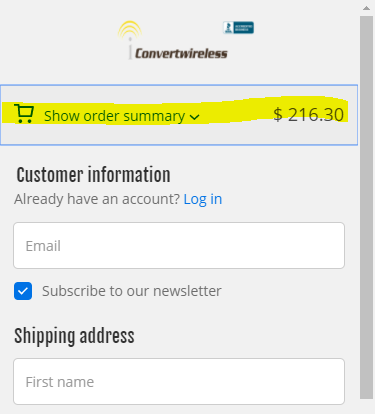
4. Select Show order summary. (highlighted at the top)
- You may then add your promo code to the order and continue your order.
- IMPORTANT: If your promo code is for upgraded shipping be sure to select that service on the Shipping checkout page.
Comments
0 comments
Please sign in to leave a comment.